USER MANUAL
Complete viewing required: every step is crucial to obtain results
Chlorine Free / Total / Combined
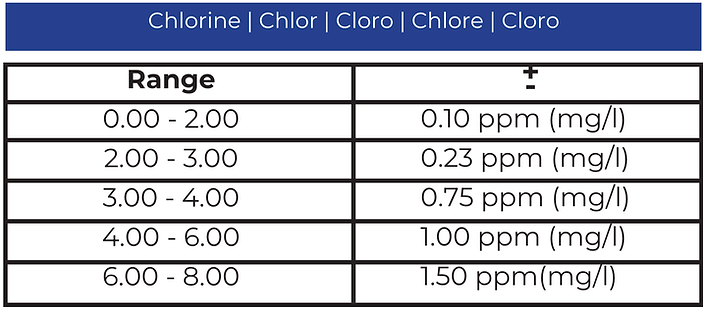
Tablet Mode: 0.00 – 6.00 ppm (mg/l), Use Tablet Reagents DPD N°1 + DPD N°3
Liquid Mode: 0.00 – 4.00 ppm (mg/l), Use Reagents DPD1A + DPD1B+DPD3C. If you use liquid reagents, switch from Tablet Mode to Liquid Mode. Watch how to do it here.
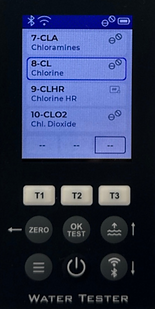
8-CL
Step-1
• Make sure the measuring chambers are clean beforehand.
• Rinse them with the water you are going to test.
• Turn on the Water Tester using the power button.

Measuring chamber
Power button
Step-2
- Fill the cuvette directly from the water source you are testing.
- Insert the Water Leveler into the chamber.
- Excess water will drain via side channels, leaving exactly 10 ml in each chamber.
Please note that you do not necessarily need to submerge the photometer in water to fill the cuvette with water. You can use a mug first, and then use the Water Leveler to remove any excess water.
Water Leveler


Step-3
• Cover the measuring chamber with the light protection cap.
• Press the ZERO button.
Light protection cap
ZERO button

ZERO
Step-4
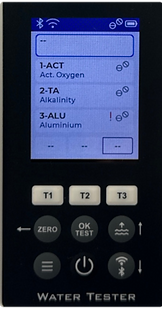
• Press the T3 button to go to the selection menu for the test parameters.
The T1/T2/T3 button functions:
– Single click: add a parameter.
– Double quick click: remove a parameter.
– Long press (count to three): open the parameter list.

Step-5
-
Use the up and down buttons to select the desired parameter for measurement.
Up and down buttons
Step-6
• After selecting the desired parameter, click the OK button to confirm your selection.
OK button
Step-7
• Add the reagent to the chamber you are going to perform the test in.
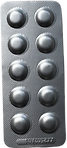
• Squeeze the pressed tablet directly into the chamber, in this case, into chamber №3.
Do not touch the tablet with your hands!
Add 1 tablet of DPD N°1
or
Add 3 drops of DPD1A + 3 drops of DPD1B
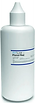
*Liquid Mode must
be active.
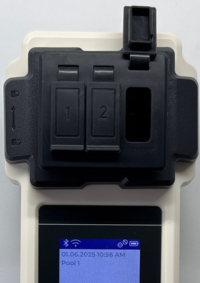
Step-8
• Using a special stirring stick, first crush the pressed reagent tablet, and then stir until it is completely dissolved.
Special stirring stick
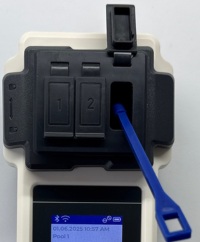
Step-9
• Cover the measuring chamber with the light protection cap.
• Press the T3 button to start the countdown.
Light protection cap
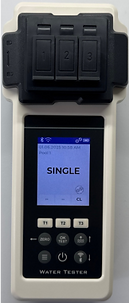
T3 button
Step-10
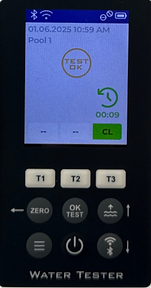
• Press the OK button, wait until the countdown ends and the test results appear.
Result Chlorine Free
OK button
Step-11
• Add the reagent to the chamber you are going to perform the test in.
• Squeeze the pressed tablet directly into the chamber, in this case, into chamber №3.
Do not touch the tablet with your hands!
Add 1 tablet of DPD N°3
or
Add 3 drops of
DPD3C
Step-12
• Using a special stirring stick, first crush the pressed reagent tablet, and then stir until it is completely dissolved.
Special stirring stick
Step-13
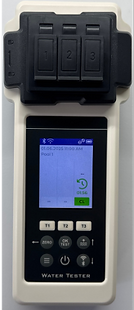
• Cover the measuring chamber with the light protection cap.
• Press the T3 button to start the countdown.
Light protection cap
T3 button
Step-14
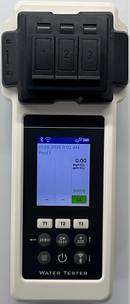
• Wait until the countdown ends and the test results appear.
Result Chlorine Total
T3 button
Step-15
• Now you have the result of Chlorine Total!
• Press the T3 button and you will receive Combined Chlorine !
T3 button
If you want to upload the test results to the cloud, press the Back button (which also functions as Zero). The word “Test” will appear on the screen — then press the Bluetooth/Wi-Fi button.
Test result is outside the range of this method. OR results can be brought into measurement range by dilution. Use syringe to take only 5 ml sample water plus 5 ml distilled water. Test again and multiply results times 2.